
How to Get Into PC Building Business: A Step-by-Step Guide
A strong PC-building business starts with a clear customer and a reason to choose your service, not a pile of parts. You source components, assemble and test systems, then sell each custom-built PC at a markup. Technical skill matters, but it cannot tell you whether local demand is strong enough to support a business.
Customer acquisition cost (CAC) is the amount a business spends on sales and marketing to gain one customer. Knowing that figure can help you judge whether each sale supports the effort behind it. The goal is to shape an offer for specific buyers, learn what they value, and test the idea before committing substantial money.

Gamers may want a specific balance of performance and price. Creators and professionals may need a system tailored to demanding work. A clear offer gives those customers a reason to talk with you instead of choosing a standard PC from a large retailer.
Treat the first few customer conversations as a way to test the idea before you commit to inventory.
Key Takeaways
- Identify a buyer group and a need you can serve well.
- Talk with potential customers before buying parts inventory.
- Set aside money for operating costs, not only components.
- Use clear quotes, documented approvals, and consistent build checks.
- Grow only when orders and service demands support added capacity.
How to Get Into PC Building Business by Validating Local Demand
A viable local offer begins with a clearly identified buyer, such as a gamer who needs a particular performance balance or a creator with a demanding workload. Specific needs make it easier to shape useful services and learn whether people will pay for them. A broad promise to build any PC may not give customers a reason to choose your business.
Test demand before buying parts inventory. Buyers can choose national brands, local shops, and regional boutique builders, so your offer needs to solve a problem those options leave open.
Do not buy niche, high-end parts until conversations and comparable builds show that local buyers want them.
Choose a customer group with a specific need
Gamers may care about frame rates, resolution, quiet cooling, or a particular look. Content creators may need stronger processors, more memory, and storage suited to large video or image files. Professionals may value reliable business software, security features, or a system built for specialized work.
Related Posts:
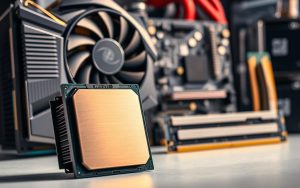
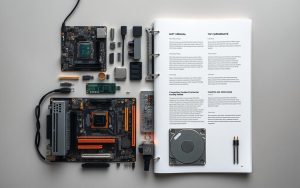

Choose a group whose requirements you can explain and meet. That focus can guide which services you offer and which parts you consider stocking. Reddit’s r/buildapc and the PCPartPicker completed-build gallery can show popular component combinations and price points. Treat those examples as clues, then compare them with what local buyers say they need.
Test demand before buying parts
Before committing money, write down answers to four practical checks:
- Identify likely buyers in your area, including gamers, creators, and professionals.
- Record the systems and price points those people discuss.
- Compare three local competitors and three national competitors.
- Ask prospective customers what they cannot get from an off-the-shelf PC.
Look at what each competitor sells, how it describes its services, and which buyers it appears to serve. Compare national options such as NZXT BLD with regional boutique builders and nearby computer shops. A local builder can compete through a useful consultation or a specific service, not simply by matching every product on a large retailer’s catalog.
Keep notes from conversations rather than relying on friendly reactions alone. A buyer who names a real workload, budget, and timeline gives you more useful evidence than someone who says a custom PC sounds interesting. Do not buy niche, high-end parts until conversations and comparable builds show that local buyers want them.
What Will It Cost to Start and Keep Cash Available?
A practical 2026 startup budget is $6,000-$18,000, with component inventory taking the largest share. Keep cash available for ordinary expenses after setup, rather than spending every dollar on parts. Your starting cost will depend on the stock you choose and the tools and online sales setup you need.
Separate operating cash from parts inventory. Parts can sit unsold while recurring expenses continue, so a reserve gives you room to run the business through a slow month.
Estimate setup costs and inventory
The 2026 ranges below are planning estimates. Inventory will usually use most of the initial investment, so make its size fit the demand you have tested.
| Budget item | 2026 estimated range | What it covers |
|---|---|---|
| Total startup budget | $6,000-$18,000 | Initial setup and working funds |
| Initial component inventory | $5,000-$15,000 | Components for customer builds |
| Tools | $200-$500 | Assembly and service tools |
| Website and e-commerce platform | $500-$2,000 | Website and online sales setup |
These figures cover different items, so avoid adding the total startup range to every listed line. Decide which tools you already own and how much inventory your likely customers may support. Keep purchases focused on components that suit the systems people have asked you to quote.
Keep a reserve for operating cash
For a small-scale business, a suggested reserve is $3,000-$7,000 for three to six months of expenses. This money is separate from parts inventory and can cover routine bills when sales arrive unevenly. Keep it accessible instead of tying it up in components that may take time to sell.
Self-funding lets you start without taking on a loan, though it may limit the first orders you can accept. SBA Microloans provide up to $50,000, with an average loan of about $13,000 and interest rates of 8%-13%. A credit score above 650 is a typical qualification benchmark, not a promise of approval.
Consider the loan payment against your expected sales and cash flow before borrowing. A larger parts order can look productive while leaving too little money for rent, utilities, shipping, or software. Keep operating cash separate from inventory money so a slow sales month does not leave you unable to cover routine expenses.
Which Legal, Tax, and Insurance Steps Apply?
Before accepting orders, check the rules for your state and local area and choose a legal structure that fits the business. Requirements differ by location, so confirm which registrations and tax steps apply where you operate. An LLC filing is estimated at $50-$500, with the fee set by the state.
Complete these four checks before your first sale:
- Choose and register a legal structure.
- Obtain an Employer Identification Number directly from the IRS.
- Check state seller’s permit and sales-tax rules.
- Ask the city or county about a general business license.
An Employer Identification Number, or EIN, is a free, nine-digit federal tax ID issued by the IRS. A state seller’s permit may be needed to collect sales tax on completed PCs and buy parts wholesale without paying sales tax. Rules differ, so check the requirements for the state where you sell.
A city or county may require a general business license, estimated at $50-$100 per year. That local license is separate from state tax authorization. Keep copies of registrations and tax records with your business paperwork so you can find them when you file or renew.
Insurance can help protect the business from claims tied to customer property or your work. General liability insurance with $1 million in coverage costs $250 to over $3,000 annually, depending on risk factors. Professional liability insurance with $1 million in coverage is estimated at $500-$1,000 per year.
When comparing insurance quotes, describe your inventory, customer property, and workmanship-related risks accurately. The policies and prices that suit a home builder may differ from those for a shop serving walk-in customers. Confirm permit and tax obligations with the relevant state and local authorities before the first sale.

What Workspace, Tools, and Parts Should You Start With?
A 100- to 150-square-foot home workspace can be enough to begin, provided it is clean, organized, and suitable for assembly. Safe, clear space matters more than expensive furniture. You need room to lay out components, keep small parts in order, and work without clutter around the system.
A clean, static-safe surface and organized storage are the essentials. Use a sturdy desk or bench, bright lighting, and labeled bins for screws, cables, and small components. Keep beverages away from open systems and give finished PCs a protected place until delivery.
Basic hand tools should include screwdrivers suited to computer screws, cable ties or reusable straps, and a small tray for loose fasteners. Add anti-static protection, such as a grounded wrist strap or mat, and keep cable-management supplies close by. You do not need costly furniture to create a careful work area.
Use a system for checking component compatibility and delivery timing before promising a completion date. A parts list can help confirm that the CPU, motherboard, memory, case, and power supply work together. Track each order’s expected arrival so one late shipment does not leave you guessing about the schedule.
Potential suppliers include Newegg Business and Amazon Business. Wholesale distributors such as Ingram Micro and D&H may become useful as order volume grows. Supplier options can change with your business needs, so compare availability and order terms as you expand.
Components can depreciate or become less relevant as newer products arrive. Favor parts inventory tied to clear customer demand instead of filling shelves with attractive but slow-moving choices. Check local home-occupation rules before using a spare room or garage as a business workspace.
What PC-Building Services Should You Sell and How Should You Price Them?
Choose a service package around what the buyer needs the PC to do, then price the full service rather than just the components. Match the workload to the budget, whether you build for gaming, creative work, or a professional task. A customer’s needs should determine the balance among parts.
Quote the delivered system and the work behind it. A parts list alone does not show the labor, support, and costs involved in providing a dependable custom-built PC.
Match service packages to buyer needs
Gaming systems depend on the resolution and frame rate the customer wants. Creator systems may need more processing power, memory, or storage for demanding workloads. Professional systems should fit the software and daily tasks they will run. All the parts needed to build a gaming PC include a CPU, GPU, motherboard, RAM, storage, power supply, case, and cooling.
Before building a PC, know the buyer’s budget, intended workload, and performance target. Where to start when building a gaming PC is to set its resolution and frame-rate goal, then draft a balanced list. PCPartPicker can help check compatibility and compare a draft parts list, but the list is not the final delivered cost.
Set build prices that cover labor and overhead
Cost-plus pricing means adding a set markup to the cost of parts to help cover the work and business expenses of a sale. A parts markup scales with the components’ cost, while a fixed build fee charges a set amount for assembly. A cost-plus markup of 15%-25% is one pricing approach; a fixed build fee may be $200-$500.
For example, a $1,500 parts cost with a 20% markup creates $300 in gross markup. A $2,000 PC with $1,600 in parts has a 25% markup. Gross markup is not take-home profit. Labor, shipping, payment processing, warranty work, and overhead all reduce what remains.
Do not promise that a custom build will always cost less than a prebuilt PC. A prebuilt gaming PC typically carries a 10%-20% premium over a custom system in exchange for assembly, testing, and system warranty coverage. Compare the whole offer, including its support and terms, rather than the parts cost alone.
Use build budgets to create realistic performance tiers
Estimated 2026 new-parts costs give you a starting point for setting a target, not a guaranteed quote. The budget gaming build guidance allocates 35%-40% of the budget to the GPU, 15%-20% to the CPU, 10%-12% to the motherboard, 8%-10% each to RAM and storage, 10%-12% to the power supply, 5%-8% to the case, and 3%-5% to the CPU cooler.
| Gaming target | Estimated 2026 new-parts build cost | Target performance |
|---|---|---|
| 1080p 60 fps | $650-$750 | 1080p at 60 fps |
| 1080p 144 fps | $750-$900 | 1080p at 144 fps |
| 1440p 60 fps | $900-$1,100 | 1440p at 60 fps |
A new-parts 1080p gaming PC is estimated at $650-$750 in 2026. A reputable seller’s used GPU may bring the build cost to $500-$650. The AMD RX 7600 is an 8GB VRAM, 165W option for 1080p gaming, while the Intel Arc B580 is listed at $310 with 12GB VRAM.
The 2026 budget guidance identifies 8GB VRAM as the minimum for 1080p gaming. It also calls for at least 16GB DDR5 in a new build, with a 2x8GB kit preferred over one 16GB stick. A $90-$120 B650 motherboard for AMD or B760 motherboard for Intel is described as sufficient for a budget build.
A $700 new-parts build budgets $200-$220 for the GPU, $135-$145 for the CPU, and $100-$110 for the motherboard. It assigns $80-$90 to RAM, $85-$100 to storage, $70-$80 to the power supply, and $50-$60 to the case. Those figures are examples, not a promise of current availability.
Tom’s Hardware’s 2026 gaming-PC build tiers start at about $900, followed by tiers at $1,200, $1,700, $2,100, and $4,000 or more. Its roughly $900 build lists an Intel Core Ultra 250K Plus CPU at $219, an ASRock B860 Rock Wifi 7 motherboard at $139, and an AMD Radeon RX 7600 at $339.
That example also lists a 512GB Patriot P300 SSD at $82, a DIY PC ARGB-N5-BK case at $60, a 650W MSI MAG A650BN power supply at $60, and a Jonsbo CR1400 EVO ARGB cooler at $25. It uses 16GB DDR5 RAM, though the listed $258 RAM price is excluded from the build total because the guide excludes RAM pricing.
A September 2026 $1,000 build guide recommends an Intel Core i3-14100F at $105 and an AMD Radeon RX 9060 XT 8GB at $400. Its list also includes an ASUS B760M-AYW WiFi D4 motherboard at $110, 16GB G.Skill Ripjaws V DDR4-3200 RAM at $120, a TeamGroup MP44L 500GB SSD at $103, an NZXT H3 Flow case at $60, a Thermaltake Smart 500W power supply at $40, and Windows 11 Home at $129.
The same guide lists a Skytech Chronos 3 prebuilt at $1,150, with an Intel Core i5-14400F, Radeon RX 9060 XT 8GB, 16GB DDR5 RAM, and a 1TB NVMe SSD. It says a prebuilt could be better value at the $1,000 price point because prebuilt prices had not risen as much as underlying components since late 2025.
In 2026, gaming desktop prices range from $1,000 to more than $4,500. Entry-level systems fall around $1,000-$1,200 for 1080p, mid-range systems around $1,200-$2,200 for 1080p to 1440p, and high-end systems around $2,200-$4,500 or more for 1440p to 4K.
A $1,000 budget can fund a capable gaming build, but the final scope depends on performance target, included software, labor, and warranty obligations. Put the performance target, included parts, labor, and support terms in writing before a customer approves a build.
How Should You Manage Orders, Deposits, and Delivery?
A written quote and customer approval should come before any parts order. Clear approvals help both sides agree on the specification, price, and schedule. They also give you a record if a customer changes the request after work begins.
A 50% deposit before ordering parts is a practical payment structure. The remaining 50% can be due upon completion or delivery. Write cancellation and refund terms clearly, and check them against applicable law; a deposit is not automatically non-refundable.
| Milestone | What the customer approves or receives | Payment due |
|---|---|---|
| Quote approval | Agreed system specification and total price | No payment listed |
| Parts ordering | Order begins after approved quote | 50% deposit |
| Completion or delivery | Finished PC and handoff | Remaining 50% |
How to build a PC step by step with pictures is easier to document when you take dated photos at each stage. Photograph the parts check, assembly, first boot, and handoff. Keep the images with the order record so you can show which components arrived and how the system progressed.

Get written approval for changes to parts, price, or delivery timing. Agree on pickup or delivery arrangements before the final handoff. Set a process for delays or defective parts, including how you will update the customer and whether a replacement changes the expected completion date.
You can accept payments through card and digital-wallet options. Compare transaction fees and settlement timing before choosing a payment processor. If you use a credit card reader or online checkout, make sure the payment record connects clearly to the customer’s quote and order.
Save the approved quote, payment record, and build photographs together for each customer order.
How Will Customers Find Your PC-Building Business Online?
A useful website should show finished work and make it easy for a nearby buyer to describe a project and request a quote. Make the next step obvious with an inquiry form, a clear service area, and an easy way to ask for pricing. Tell visitors when they can expect a reply.
Build trust with useful examples, not big promises. A clear portfolio can show the kinds of systems you have completed and help customers decide whether your service fits their needs.
Build a website that turns interest into inquiries
Include photos of finished systems and short descriptions of their intended use. State which towns or areas you serve, whether customers can arrange pickup, and how to request a quote. A simple form should ask for the project goal, budget, and preferred timing without making people fill out a long questionnaire.
How to get into PC building business online: pair a useful website with a consistent portfolio and helpful participation in communities. Set a response expectation you can meet, such as replying to inquiries within a stated number of business days. Keep the website current when your services or service area change.
Show your work and earn trust in communities
Customer acquisition cost (CAC) below 10% of a PC’s sale price is a planning target. For a $2,000 build, that means spending no more than $200 to win the customer. Count the marketing costs you can connect to actual inquiries and sales, rather than treating every view as a lead.
Documenting one build per week and posting on one social platform three times per week are suggested starting cadences. Instagram, TikTok, YouTube Shorts, Reddit’s r/buildapc, and Linus Tech Tips can provide places to share work and join relevant discussions. A platform’s promotional claims do not prove that it will produce business results.
- Post clear build photos or video that show the finished system.
- Answer relevant questions without spamming communities.
- Ask satisfied customers for permission to share their systems.
Choose a manageable routine instead of chasing viral reach. Track which channel produces genuine inquiries, not just views or likes.
How Will You Test Builds and Handle Support?
Every completed system should pass the same documented checks before it leaves the workspace. Repeat the sequence on each build so you can compare results and catch issues before handoff. Testing does not prevent every failure, so make support terms clear as well.
Use a written test record for each system. Include the parts, test duration, results, and any fault you found or corrected.
Use the same test sequence on every system
Follow this four-part checklist for each completed PC:
- Inspect connections and cooling.
- Run Prime95 for at least 60 minutes.
- Run FurMark for at least 60 minutes.
- Check RAM stability with MemTest86.
Record the results rather than relying on memory. A rough RMA rate target is below 5%, but that target is not a guarantee that failures will be rare or claims will be covered. Investigate repeat failures to find whether a part, configuration, or work step needs attention.
Set clear expectations for post-sale help
Write down the support period and what troubleshooting it includes. State how customers can contact you, what information they should provide, and whether help covers setup questions or only faults tied to the build. Avoid implying that every repair or warranty claim will be covered.
Describe how shipping or local returns work, including who arranges the shipment and how the system should be packed. Explain how you handle a defective part, such as checking the fault and working through the applicable replacement process. Put any limits or exclusions in plain language before the sale.
Record recurring faults by component and build configuration so the process can be corrected before similar orders go out.
When Should You Hire and Expand?
Add labor only when recurring orders and the work queue show that your current capacity is no longer enough. Use workload as evidence, not one busy week, when deciding whether to hire. A part-time PC Build Technician may be worth considering around 5-10 builds per month.
Those figures are planning signals, not firm hiring rules. A queue consistently longer than two weeks may also point to a capacity problem, though complexity and customer commitments affect the decision.
Hire only when the workload supports it
A suggested technician pay rate is $20-$25 per hour. One full-time technician for every $150,000-$200,000 in annual revenue is a rough planning target, not a fixed staffing formula. Compare the expected labor cost with the work you can reliably schedule and the service you have promised.
Demand, labor costs, build complexity, and service commitments should guide actual hiring decisions. A month with several simple systems may require less time than the same number of complex custom builds. Consider whether a hire can keep work quality and customer updates consistent during busy periods.
Standardize operations before adding volume
Write build checklists and assign clear ownership for customer updates. Keep a basic parts and order-tracking system so you can see which components are on hand, which orders are waiting, and what work remains. Shared records help avoid missed details when more than one person handles a build.
Inventory software may become useful above 15 builds per month. Katana and QuickBooks Commerce are examples to consider as volume grows. Choose a system that fits your order flow instead of adding software before your process needs it.
Review the work queue and completed orders against actual labor hours each month. Review actual labor hours and completed orders monthly before committing to a permanent staffing level.
Conclusion
A PC-building business is worth pursuing when a defined group of buyers values your expertise and service enough to place real orders. Enjoying assembly is a good starting point, but it cannot replace proven demand, clear pricing, and dependable support.
Your first step is a short round of direct conversations, not a large parts order. Speak with five potential local customers and write down the systems and services they would actually consider buying. Note their budgets and the problems they want a builder to solve.
Use those details to decide whether your offer deserves a small test, a revision, or a pause. Start by speaking with five potential local customers, then use what they tell you to decide whether to invest further.
FAQ
I want to build a gaming PC. Where should I start?
Start by setting a budget and choosing a resolution or frame-rate goal. Then build a balanced parts list and check compatibility before purchasing. A target such as 1080p at 60 fps gives you a clearer way to compare components than choosing parts by brand alone. Leave room in the budget for the case, cooling, and power supply.
How much RAM do you need for a business computer?
16GB is a practical baseline for ordinary office work, while 32GB can suit heavier multitasking or demanding applications. A business computer used for email, documents, and web tools may not need more. For large spreadsheets, creative software, or several demanding programs at once, extra memory can make the system more comfortable to use.
How to open a PC shop?
Check local zoning and licensing, plan rent and insurance costs, and validate foot traffic or local demand before signing a lease. A storefront adds ongoing costs beyond parts, including utilities and space. Compare expected sales with those expenses and test whether nearby buyers will visit or use your services before committing to a location.
Is it cheaper to build or buy a PC?
A custom system can cost less, but a prebuilt typically carries a 10%-20% premium for assembly, testing, and warranty coverage. The September 2026 guide notes a $1,000 price-point case where a prebuilt may offer better value. Compare the full system, included software, service terms, and delivered cost rather than parts prices alone.
Is $1000 dollars enough to build a PC?
Yes, a $1,000 budget can cover a capable gaming system, though the offer depends on its performance target, included software, labor, and support. A customer seeking higher frame rates or a stronger resolution may need different component choices. Write down what the price includes so the buyer can compare it fairly with a prebuilt.
Is it still worth building your own PC in 2026?
Yes, building can be worthwhile when you value tailored specifications, customization, or direct service. Compare the fully delivered cost and support against a prebuilt before deciding. Component prices and prebuilt deals can shift the value of a particular system, so the better choice depends on the exact parts, performance target, and warranty coverage.
Is 32 GB RAM overkill gaming?
No, 32GB is a reasonable amount for gaming alongside multitasking, while 16GB remains the stated minimum for a new build in the 2026 budget guidance. A player who streams, keeps many browser tabs open, or runs creative tools may appreciate the added room. The game and other software you use should guide the final choice.
Is building a PC hard?
Assembly is manageable when you check compatibility and follow a step-by-step process, but troubleshooting and customer support take additional skill and time. You need to handle delicate components carefully and confirm that the system starts and runs as expected. A business builder also has to communicate delays, document work, and respond when a customer needs help.
